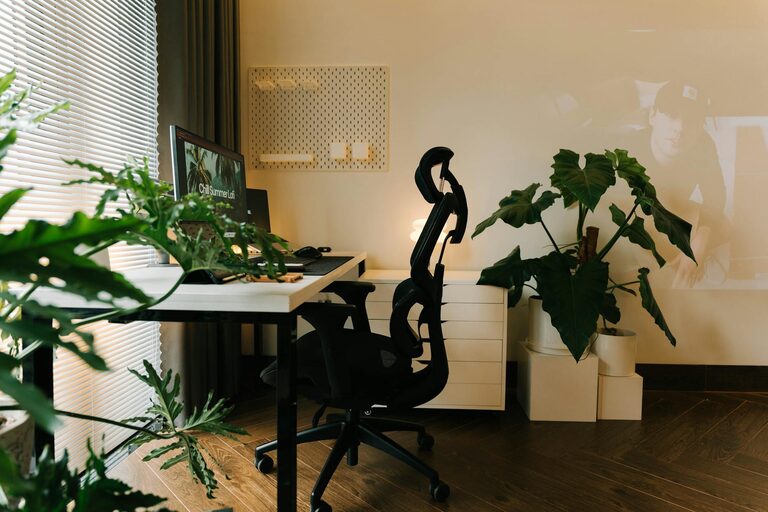
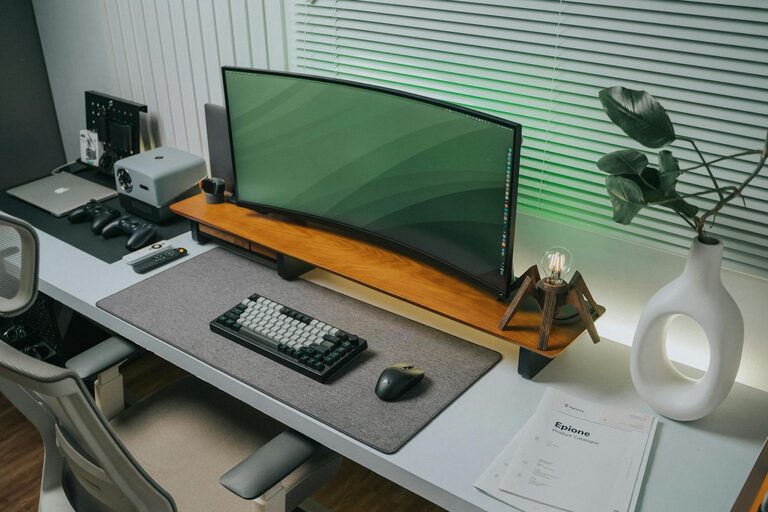
Creating a home workspace that is both clutter-free and productive can make a significant difference in your daily work routine. Whether you are working from home full-time or need a dedicated area for occasional tasks, organizing your workspace effectively helps reduce distractions, improve focus, and maintain motivation.
In this guide, we’ll explore practical tips and strategies to help you set up and maintain an organized work environment tailored to your needs.
Why a Clutter-Free Workspace Matters
A cluttered workspace can lead to stress, wasted time searching for items, and difficulty concentrating. On the other hand, a clean and organized area:
– Reduces mental distractions
– Helps you manage tasks efficiently
– Creates a pleasant atmosphere conducive to creativity and focus
By intentionally designing your workspace, you’re setting yourself up for success.
Step 1: Choose the Right Location
Before organizing, select a spot that suits your work style. Consider:
– Natural Light: Position your desk near a window if possible to benefit from daylight, which boosts mood and energy.
– Quiet Area: Choose a space with minimal noise and foot traffic to improve concentration.
– Accessibility: Make sure the workspace is easy to reach and does not require constant setup or teardown.
If space is limited, a corner of a room or a small desk in a bedroom can work well when properly organized.
Step 2: Declutter and Simplify
Start by clearing everything off your desk and workspace surface. Sort through your items and decide what you truly need. Ask yourself:
– Do I use this daily or weekly?
– Does this item help me work better or efficiently?
– Is this something that can be stored elsewhere or discarded?
Keep only essential items on your desk to maintain a clean look.
Decluttering Tips:
– Use three piles: Keep, Store, and Toss. Be honest but not too harsh.
– Digitize documents when possible to reduce paper clutter.
– Regularly schedule a quick tidying session to maintain order.
Step 3: Invest in Smart Storage Solutions
Effective storage keeps your workspace organized without overcrowding.
– Desk Organizers: Use trays, pen holders, and file sorters to keep small items in place.
– Shelving Units: Open shelves store books and decorative items without taking up desk space.
– Drawers and Cabinets: Keep bulkier or less frequently used materials tucked away but within reach.
– Cable Management: Use clips or covers to keep cords neat and avoid tangles.
Label storage containers to quickly find things and keep similar items grouped.
Step 4: Optimize Your Desk Setup
Having an ergonomic and efficient setup supports both comfort and productivity.
– Position your monitor at eye level to reduce neck strain.
– Use an adjustable chair that supports your back properly.
– Keep frequently used items close by to minimize reaching.
– Ensure good lighting—consider task lamps to supplement ambient light.
Maintain enough clear desk space for working on documents or using additional devices.
Step 5: Personalize Without Overdoing It
Adding a few personal touches can make your workspace inviting and motivating, but avoid cluttering it.
– Place a small plant or two for a touch of greenery and improved air quality.
– Display a photo or an inspiring quote.
– Choose calming colors or artwork that make you feel relaxed yet focused.
Balance personalization with functionality so your workspace remains efficient.
Step 6: Establish Organization Habits
Sustaining a clutter-free workspace requires habits and routines.
– Daily Reset: At the end of each workday, spend 5 minutes tidying your desk.
– Use To-Do Lists: Keep a planner or digital task manager to stay focused.
– Limit Multitasking: Clear distractions and work on one task at a time to increase effectiveness.
– Regular Review: Every week or month, reassess what’s working and adjust your system accordingly.
Consistent habits keep clutter from building up and support productivity.
Step 7: Incorporate Technology Wisely
Technology can help maintain organization but can also add to clutter if unmanaged.
– Use cloud storage to reduce physical paperwork.
– Keep your desktop free of unnecessary icons by organizing files into folders.
– Use apps for note-taking, scheduling, and reminders to stay organized digitally.
– Consider wireless devices to reduce cable clutter.
Investing time in setting up your tech environment saves frustration later.
Final Thoughts
Organizing a clutter-free and productive home workspace is a process that blends thoughtful setup with everyday habits. By choosing the right location, decluttering, using smart storage solutions, optimizing your desk arrangement, personalizing mindfully, and maintaining consistent habits, you can create a workspace that supports your best work.
Remember, your home office is your personal productivity zone—keep it welcoming, functional, and tailored to your unique workflow. With these tips, you’re well on your way to a more organized and fulfilling work-from-home experience.
About the Author