Creating a home office space that balances coziness with productivity can transform your work-from-home experience. An inviting and efficient environment helps reduce distractions, maintain focus, and keep you motivated throughout the day. Whether you have a dedicated room or just a small corner, these practical tips will guide you in designing a workspace that feels both comfortable and conducive to getting things done.
Choose the Right Location
Consider Natural Light
Selecting a spot with plenty of natural light can boost your mood and energy levels. Near a window is ideal, but if that’s not possible, position your desk to benefit from indirect daylight to reduce eye strain.
Minimize Distractions
Pick a quiet area away from household noise or heavy foot traffic. If you share your living space, using a room divider or privacy screen can help create a visual barrier and separate your work area.
Invest in Comfortable Furniture
Ergonomic Chair
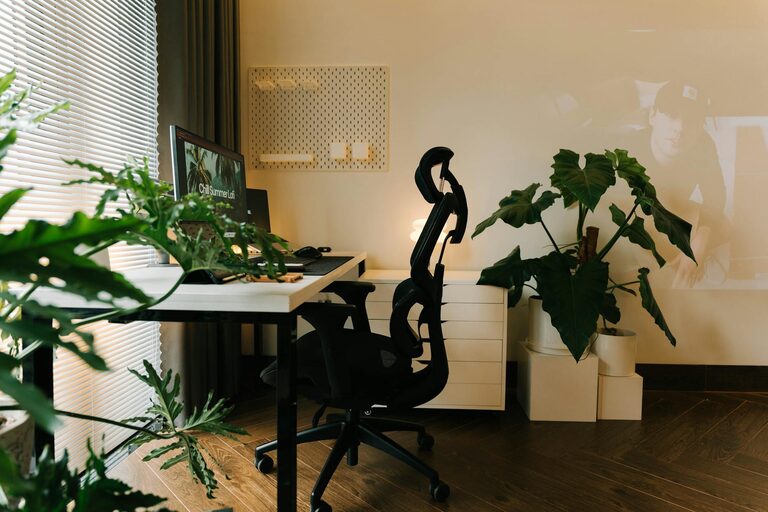
A supportive, adjustable chair that encourages good posture prevents back pain and fatigue. Look for chairs with lumbar support and adjustable height to fit your desk and body.
Functional Desk
Choose a desk that suits your work style. Consider adjustable-height desks that allow alternating between sitting and standing, which can promote better circulation and reduce discomfort.
Organize Your Workspace
Declutter Regularly
A clean desk reduces stress and distractions. Keep only essential items on your surface and store other items in drawers or shelves to create a neat environment.
Use Storage Solutions
Incorporate shelves, filing cabinets, or desk organizers to keep documents, supplies, and gadgets orderly. Labelled storage can save time and keep your workflow smooth.
Personalize Your Space
Add Comfortable Textiles
Soft rugs, cushions, or a cozy throw blanket add warmth and comfort, making your work area feel inviting without compromising professionalism.
Include Plants
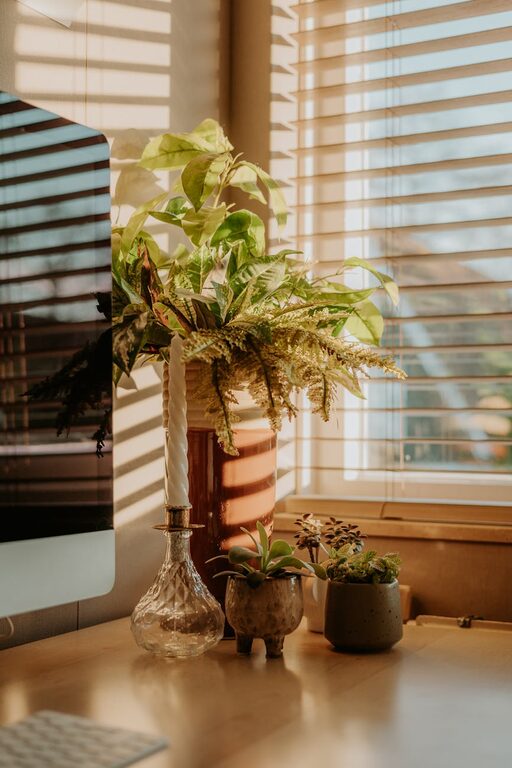
Indoor plants improve air quality and add a calming natural element. Small succulents or low-maintenance greenery can brighten your workspace.
Display Inspiring Items
Photos, artwork, or motivational quotes can keep you inspired, but avoid overcrowding your space to maintain focus.
Optimize Lighting
Layer Your Lighting
Combine ambient light with task lighting for flexibility. A desk lamp with adjustable brightness helps reduce eye strain during evening hours.
Avoid Glare
Position screens to minimize glare from windows or overhead lights. Use curtains or blinds if necessary to control brightness.
Manage Technology Efficiently
Cable Management
Keep cables organized with clips, sleeves, or under-desk trays. This reduces clutter and prevents accidents caused by tangled cords.
Reliable Equipment
Invest in a good quality monitor, keyboard, and mouse for comfort and efficiency. Regularly update software and maintain your devices for smooth performance.
Establish a Routine and Boundaries
Set Work Hours
Clearly defining your work schedule helps separate professional time from personal life, reducing the risk of burnout.
Create Transition Rituals
Begin and end your day with specific activities, like a short walk or organizing your desk, to mentally prepare for work and relaxation.
Incorporate Break Areas
If space allows, include a small comfortable chair or corner for short breaks. Changing your scenery even briefly can refresh your focus.
Keep Air Quality in Mind
Good ventilation is important for concentration and health. Open windows when possible or use an air purifier to maintain fresh air circulation.
—
Creating a cozy and productive home office is about combining comfort with functionality. Thoughtful choices in location, furniture, organization, and décor can help you build a space where work feels both enjoyable and efficient. With a bit of planning and personalization, your home office can become your favorite spot to innovate and achieve your goals.
About the Author