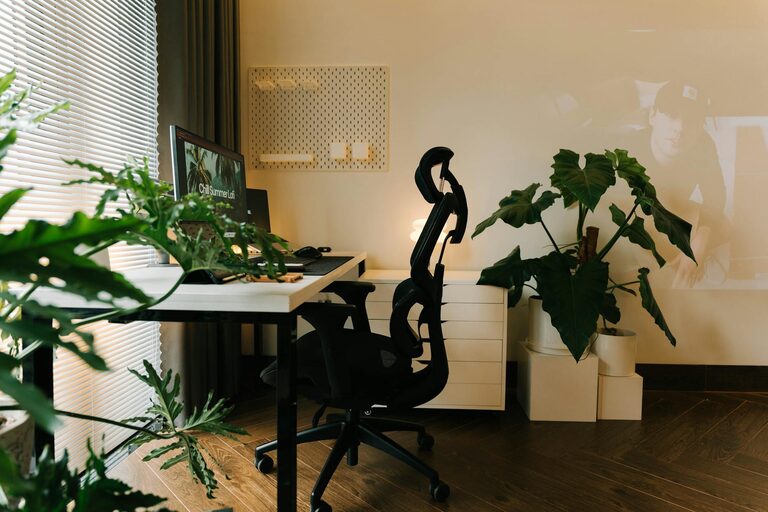

Creating a cozy and productive home workspace is essential for anyone who spends significant time working remotely or studying at home. A well-designed workspace not only enhances focus but also contributes to your overall well-being. In this post, we’ll explore practical tips to help you build a space that feels inviting and helps you stay efficient throughout your workday.
Why Your Workspace Matters
Your environment has a strong impact on how you work. A cluttered, uncomfortable, or poorly lit space can reduce creativity and increase stress levels. On the other hand, a thoughtfully arranged workspace can inspire motivation, reduce distractions, and make your home feel more professional.
Choosing the Right Location
Find a Dedicated Spot
Try to choose a quiet area in your home that’s separate from high-traffic or noisy zones. Having a dedicated workspace signals to your brain that it’s time to focus when you’re in that area.
Consider Natural Light
Placing your desk near a window brings in natural light, which can lift your mood and improve concentration. If natural light is limited, opt for warm, adjustable artificial lighting to reduce eye strain.
Ergonomics: Comfort Is Key
Invest in a Good Chair
An ergonomic chair with proper lumbar support helps maintain good posture and prevents back pain. Comfort is crucial if you spend long hours sitting.
Desk Height and Setup
Make sure your desk height allows your forearms to rest comfortably parallel to the floor. Position your computer screen at eye level to avoid neck strain.
Take Regular Breaks
Even with an ergonomic setup, it’s important to stand, stretch, and move around at least once every hour to maintain circulation and energy.
Organize and Personalize Your Space
Declutter for Focus
Keep your desk surface tidy by storing unnecessary items in drawers or shelves. A clean space helps reduce distractions and mental clutter.
Use Storage Solutions
Shelves, file organizers, and drawer dividers keep your materials organized and within reach.
Add Personal Touches
Include a few items that make you happy or inspired, like plants, photos, or artwork. These can make your space feel welcoming without overwhelming it.
Optimize Lighting and Ambiance
Layer Your Lighting
Combine overhead lighting with task lamps to control brightness according to your needs. Adjustable lighting helps reduce eye fatigue and creates a comfortable atmosphere.
Control Noise
If noise is an issue, consider noise-canceling headphones, white noise machines, or soft background music to create a calm environment.
Technology and Tools
Reliable Equipment
Invest in a dependable computer, high-speed internet, and necessary peripherals that suit your work needs. Avoid frustration caused by slow or faulty technology.
Cable Management
Use clips or sleeves to keep cables neat and prevent tangling, which helps maintain a clean desk and reduces potential hazards.
Establish Boundaries and Routine
Set Clear Work Hours
Define when your workday starts and ends to separate professional time from personal time.
Communicate Your Schedule
If you share your home with family or roommates, make sure they know your work hours to minimize interruptions.
Create Rituals
Starting your day with a consistent routine—like a morning coffee or a short walk—can mentally prepare you for focused work.
Maintain Your Workspace
Regularly clean and reorganize your workspace to keep it functional and inviting. Replace worn-out furniture or supplies as needed to maintain comfort and efficiency.
—
By thoughtfully designing your home workspace with these tips, you can create an environment that supports productivity while remaining cozy and enjoyable. Remember, a space that feels good to be in helps you do your best work every day.
About the Author