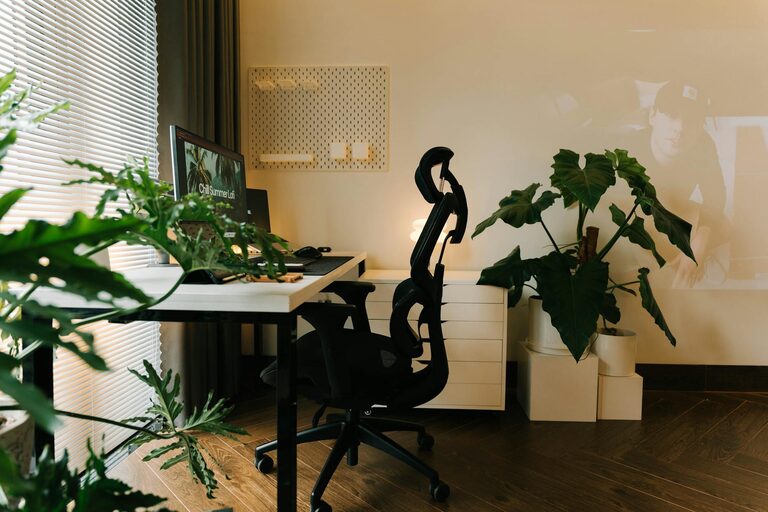

Creating a productive home office environment is essential for anyone working remotely or managing projects at home. A well-designed workspace helps maintain focus, reduces distractions, and promotes good posture and comfort, all of which contribute to increased efficiency and job satisfaction. Whether you have a dedicated room or a small corner of your living space, these tips will help you transform it into a productive haven.
Choose the Right Location
Find a Quiet Spot
The first step is selecting a place with minimal distractions. Choose a room or area away from noise, foot traffic, and daily household activities. This will help you maintain concentration and avoid interruptions during work hours.
Maximize Natural Light
Natural light can boost your mood and energy levels. Position your desk near a window if possible, but avoid glare on your computer screen. If natural light is limited, opt for bright, adjustable LED lighting to keep your workspace well-lit.
Invest in Ergonomic Furniture
Comfortable Chair
A supportive chair is crucial for long hours of work. Look for one with adjustable height, good lumbar support, and comfortable cushioning. Your feet should rest flat on the floor, and your knees should be at a 90-degree angle.
Suitable Desk
Choose a desk with enough surface area to accommodate your computer, work materials, and other essentials without feeling cluttered. Consider adjustable desks or sit-stand options to vary your posture throughout the day.
Organize Your Workspace
Declutter Regularly
A tidy workspace reduces stress and distractions. Keep only the essentials on your desk, and use storage solutions like drawers, shelves, or bins to organize supplies.
Use Cable Management
Tidy cables can make your desk look cleaner and prevent accidents. Use cable clips, sleeves, or boxes to bundle wires and keep them out of sight.
Personalize Thoughtfully
Add Plants
Indoor plants can improve air quality and create a calming atmosphere. Small potted plants or succulents are easy to care for and brighten up the space.
Display Inspiring Items
Incorporate a few meaningful items such as photos, art prints, or motivational quotes. These can boost morale but avoid overcrowding the space.
Minimize Distractions
Set Clear Boundaries
Communicate your work hours to family or housemates. Use signage or a dedicated door if possible to signal when you shouldn’t be disturbed.
Limit Digital Interruptions
Turn off non-essential notifications on your computer and phone during work hours. Use productivity apps to stay focused and track your tasks.
Maintain Good Air Quality and Comfort
Ventilation
Ensure your home office is well-ventilated to keep the air fresh. Open windows when possible or use an air purifier.
Temperature Control
Keep the room at a comfortable temperature. Dress appropriately or use fans and heaters to adjust the environment as needed.
Establish a Routine and Breaks
Consistent Schedule
Start and finish work at regular times to cultivate discipline. Having a routine signals your brain when it’s time to focus and when it’s time to relax.
Take Breaks
Incorporate short breaks to stretch, hydrate, and rest your eyes. Standing, walking, or simple exercises can reduce fatigue and improve productivity.
Use Technology Wisely
Reliable Equipment
Invest in dependable devices like a fast computer, a quality headset, and a stable internet connection to prevent technical interruptions.
Optimize Software
Use tools for project management, communication, and file sharing to stay organized and connected with colleagues.
—
By following these tips, you can create a comfortable and efficient home office environment tailored to your needs. With the right setup and habits, working from home can be both enjoyable and highly productive.
About the Author