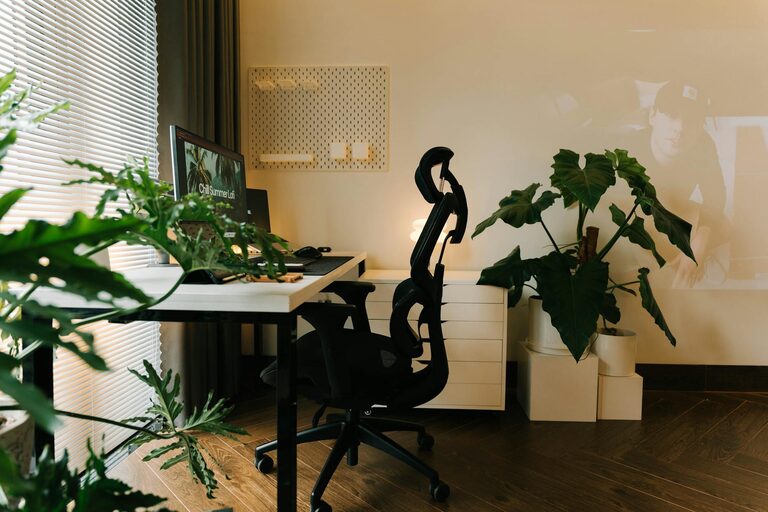
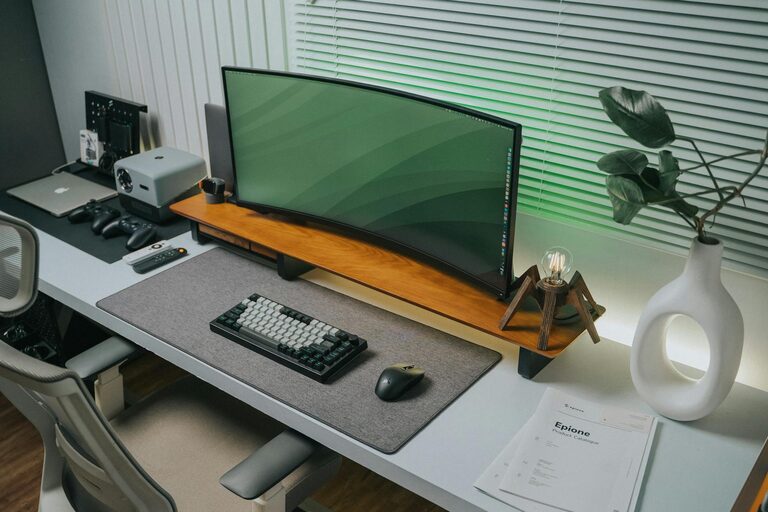
Creating a home workspace that is both clutter-free and productive can significantly enhance your ability to focus and complete tasks efficiently. Whether you work remotely full-time or occasionally need a dedicated area for projects, organizing your space is key to maintaining motivation and reducing stress. Here are effective tips to help you design and maintain a neat, functional home workspace.
Start with a Clear Purpose for Your Workspace
Before organizing, define how you will use your workspace. Is it for computer work, creative projects, or meetings? Knowing your primary activities can guide you in selecting the right furniture, tools, and layout. For example, if you often use a computer, an ergonomic desk and chair are essential. For crafting or design, ample surface space and storage for supplies will be a priority.
Choose the Right Location
Find a spot with minimal distractions and enough natural light if possible. A well-lit space can improve mood and reduce eye strain. If natural light isn’t available, invest in good quality task lighting. Also, consider the noise level—choose a quiet corner, or use noise-cancelling headphones if background sounds are unavoidable.
Declutter Regularly
Clutter can make it difficult to concentrate and reduces your sense of control. Set aside time weekly or monthly to sort through papers, accessories, and gadgets. Use the following tips to tackle clutter effectively:
– Keep only essentials: Remove items that aren’t connected to your work.
– File documents: Use folders, labels, or digital scanning to keep papers organized.
– Limit personal items: A few motivating photos or plants are great; avoid overcrowding.
Invest in Smart Storage Solutions
Storage is crucial in maintaining a tidy workspace. Use organizers that suit your needs and space constraints:
– Drawer dividers: Keep small items like pens, paper clips, and notes separated.
– Shelving units: Store books, reference materials, and equipment within easy reach.
– Bins and baskets: Perfect for larger items or items not used daily.
Transparent or labeled containers make it easier to find what you need without opening everything.
Optimize Your Desk Setup
Your desk should be both functional and ergonomic. Consider the following:
– Use a monitor stand: Positions your screen at eye level to prevent neck strain.
– Cable management: Use clips or cable sleeves to keep cords from tangling.
– Keep frequently used tools accessible: Place essentials like notebooks, chargers, or headphones nearby but out of the way.
Embrace Minimalism
Keep your desk top as clear as possible. A minimal setup helps reduce distraction and keeps the focus on the task at hand.
– Avoid overcrowding with decorative objects.
– Use wireless devices to reduce cable clutter.
– Adopt a “one in, one out” rule: if you bring in new tools or supplies, remove old or unused items.
Create Zones for Different Tasks
If your workspace allows, create separate zones to handle different activities. For instance:
– A writing zone with a comfortable chair and lamp.
– A tech zone with your computer and peripherals.
– A storage zone for files and office supplies.
Having distinct areas can help your brain switch contexts and maintain organization.
Keep Digital Files Organized
In a workspace, physical clutter often goes hand-in-hand with digital clutter. Use these tips to keep your digital workspace neat:
– Organize files into well-labeled folders.
– Regularly back up important documents.
– Use desktop shortcuts sparingly to keep the screen tidy.
– Consider productivity apps to manage tasks and deadlines.
Personalize Thoughtfully
While keeping productivity in mind, personalize your workspace to make it inviting:
– Choose calming colors for your decor.
– Add plants or artwork that inspire but don’t overwhelm.
– Incorporate comfortable seating for breaks.
A workspace that feels pleasant encourages you to spend time in it.
Establish a Clean-Up Routine
At the end of each workday, spend a few minutes tidying up your space:
– Clear your desk of unnecessary items.
– Organize notes and papers.
– Prepare your workspace for the next day.
This simple habit helps maintain organization and reduces the buildup of clutter over time.
Use Technology to Your Advantage
There are many digital tools that can help manage tasks and reduce clutter:
– Cloud storage minimizes paper usage.
– Task management apps keep your to-do lists organized.
– Note-taking apps replace scrap paper and sticky notes.
Incorporating technology thoughtfully can make your workspace more efficient and less cluttered.
—
By applying these tips, you can create a home workspace that is both clutter-free and tailored to your productivity needs. Remember, organization is an ongoing process that adapts to your changing work habits and requirements. Consistent maintenance and thoughtful setup will support your focus, reduce stress, and enhance your overall work-from-home experience.
About the Author